LoWisa Support
LoWisa is an AI-assisted learning app: it teaches lesson by lesson, in its own voice, and checks that you can explain what you learned.
Get in touch
We answer every message, usually within one business day. Telling us your device and what you were doing when it happened gets you a real answer in the first reply.
Starting out
The app needs no account and no sign-in. Open it, choose a path, and the first lessons and a trial of the tutor are already there. Your progress is kept on the device and backed up once you have an account.
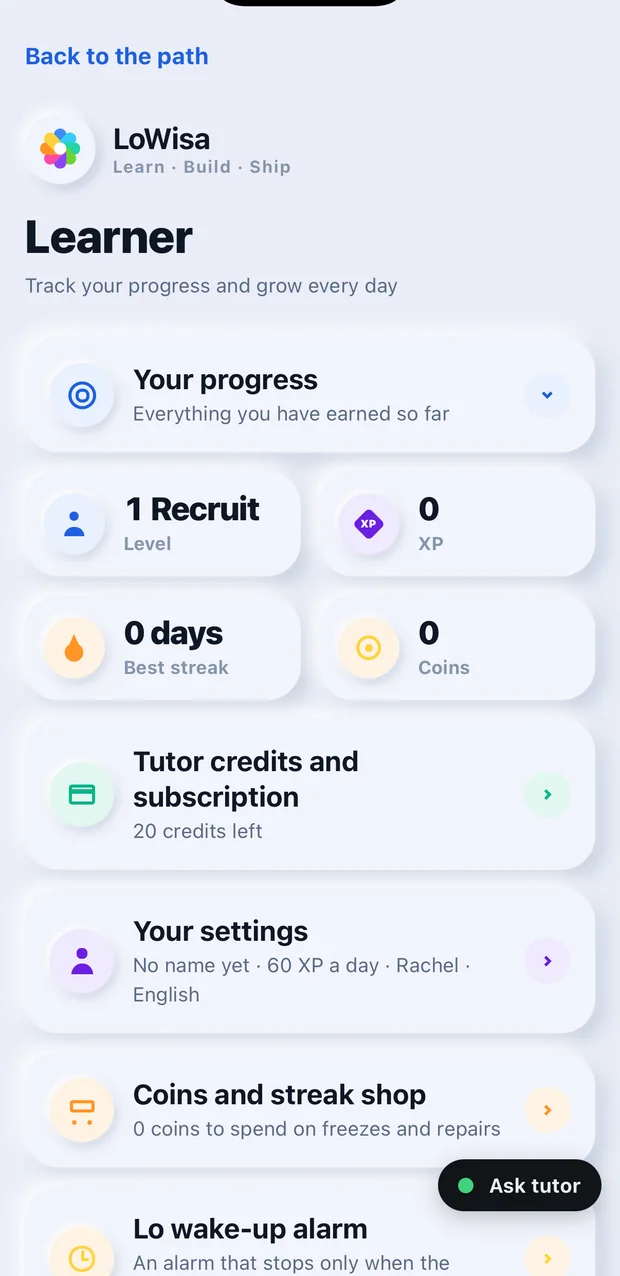
Almost everything below starts in the same place: the Profile tab, reached from the person icon in the top corner of the app.
Each card on that page opens when you tap it, so if something is not on screen yet, it is inside one of them.
Subscriptions and billing
Where the money goes
A subscription bought inside the app on iPhone or iPad is billed by Apple to your Apple Account. On Android it is billed by Google Play. We never see or hold your card.
Cancelling
- iPhone or iPad: Settings → tap your name → Subscriptions → LoWisa → Cancel Subscription.
- Android: Google Play → your profile picture → Payments and subscriptions → Subscriptions → LoWisa → Cancel.
A cancelled subscription keeps working until the end of the period you already paid for. Deleting the app does not cancel a subscription.
Refunds
Refunds are handled by the store that took the payment. On Apple, use reportaproblem.apple.com. On Android, use the Google Play order history. Tell us as well and we will help you chase it.
Restoring a purchase
Reinstalled the app, or changed device? Nothing is charged again — the subscription is already yours, and the app only needs to ask the store for it.
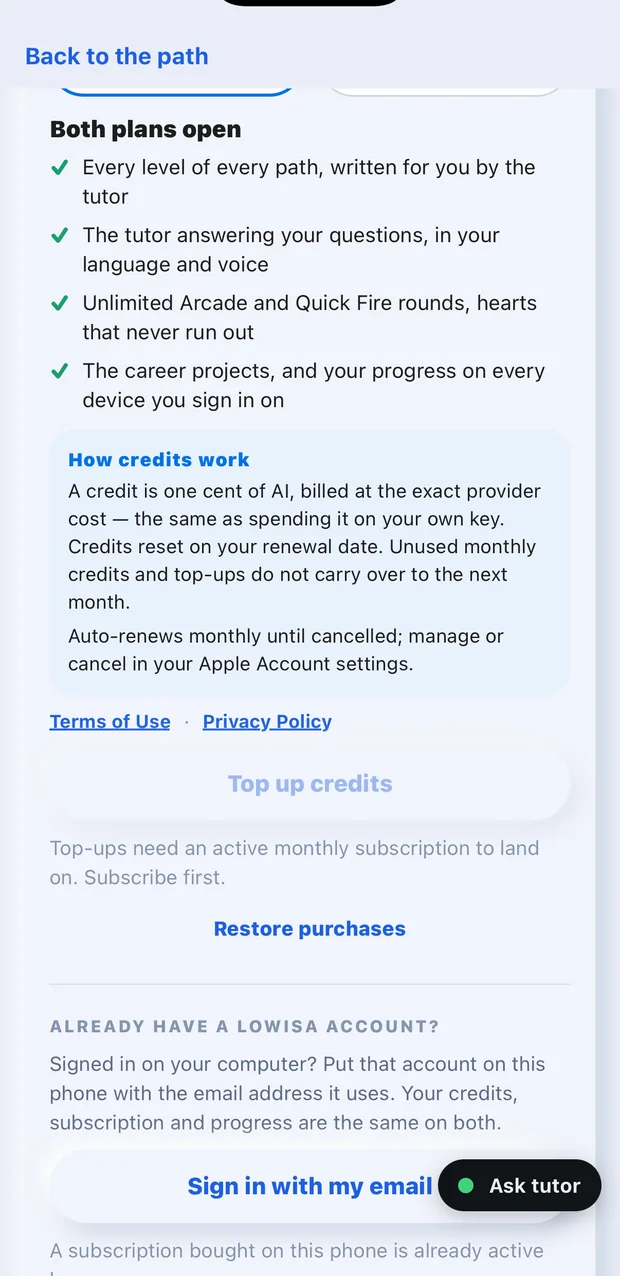
Profile → Tutor credits and subscription → Restore purchases
As long as you are signed in to the same Apple Account or Google account you bought with, your plan and its credits come back within a few seconds.
Credits
Lessons, readings, drills and practice are always free and cost nothing. Credits are spent only on tutor answers, lessons written for you on request, and the studio voice. The credits included in a plan arrive with every renewal and reset on your renewal date.
Your account and your data
Deleting your account
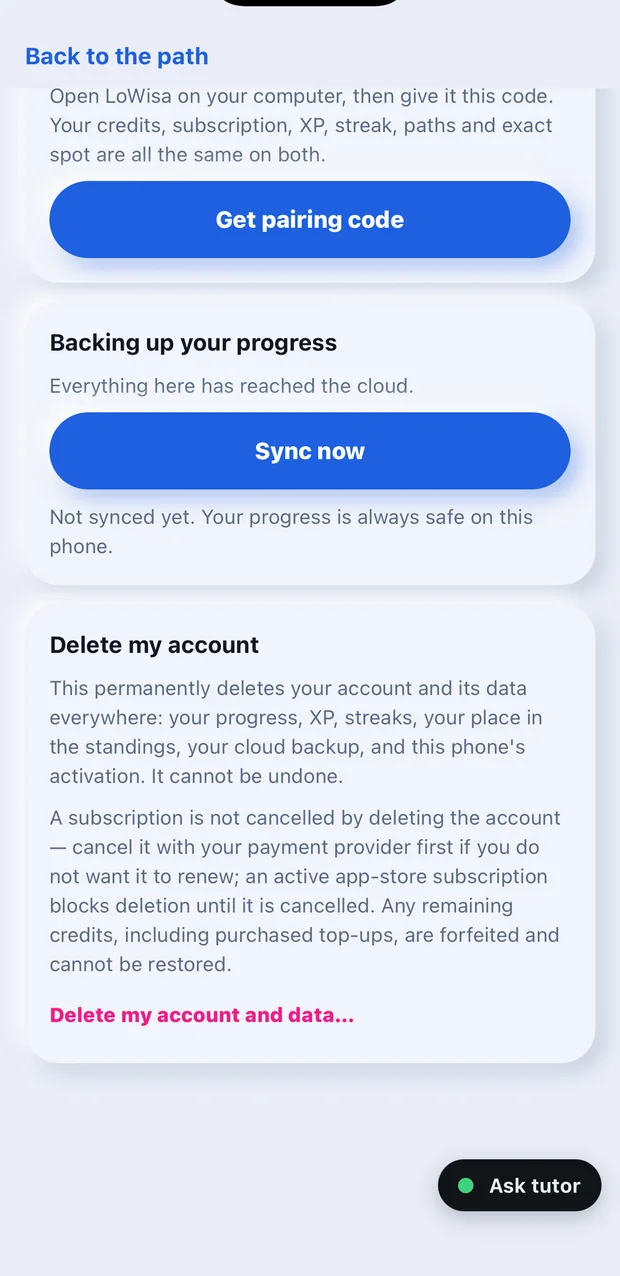
Profile → This phone → Delete my account
It asks twice, and the second press is final: your progress, XP, streaks, your place in the standings and your cloud backup are erased everywhere and cannot be recovered.
Deleting the account does not cancel a subscription. If your plan is billed by the App Store or Google Play, the app deletes the account only once that subscription has ended: cancel it (see Cancelling above), and you can delete the account when the period you paid for is over. Credits left on the account are lost.
Without the app, use the deletion page at lowisa.dev/delete-account.html: it emails a one-time code to the address on the account and deletes it at any time, even while a subscription is still running, so cancel first if you do not want to be billed again. Or email support@lowisa.dev from the address on the account and we will delete it for you.
Privacy
What we collect and why is written out in the privacy policy.
Something is broken
No voice
The app tests its own sound, layer by layer, and tells you which one is silent. You do not have to guess.
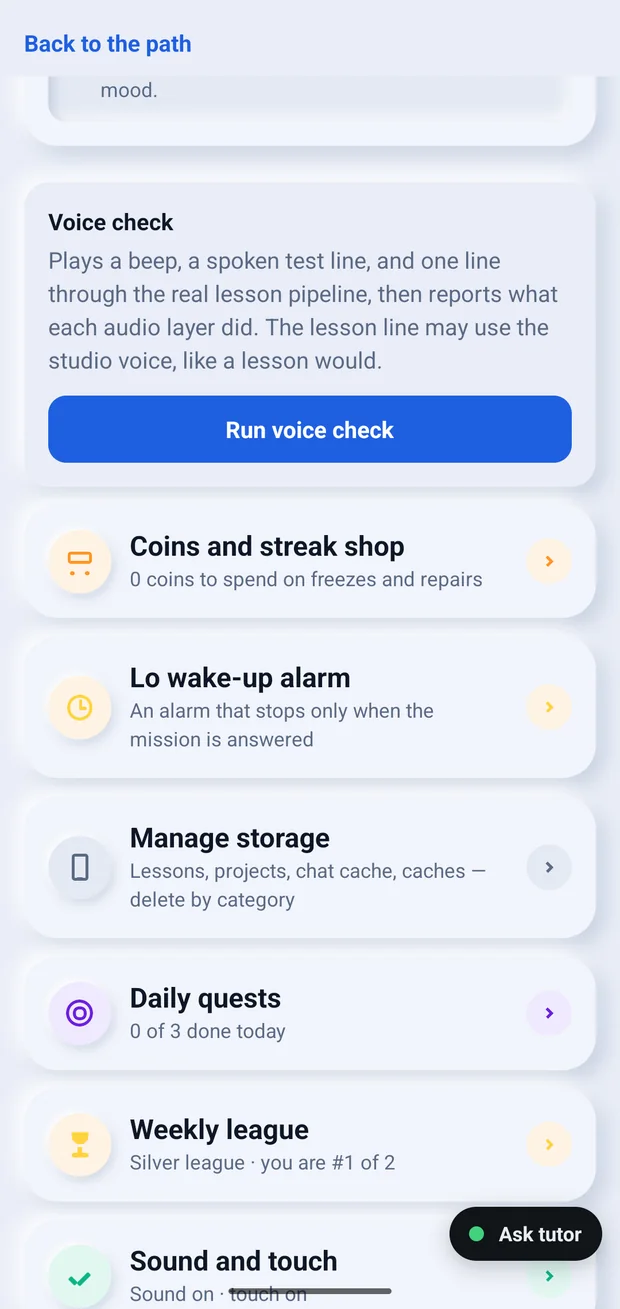
Profile → Your settings → Voice check → Run voice check
It plays a beep, then a spoken test line, then one line through the real lesson pipeline, and prints what each audio layer did. A beep you can hear but a lesson you cannot is a different fault from silence all the way down, and the card says which you have.
Take the phone off silent and turn the volume up before running it. Nothing is spent: the check costs no credits and needs no internet for the first two layers.
If it still finds something, send us a photograph of that card. It names the layer, so the first reply can be the fix rather than a question.
The tutor will not answer
Check that the device is online, then open Profile → Tutor credits and subscription and tap Refresh balance. If the balance is zero, the tutor waits for your next renewal — lessons, readings and practice keep working meanwhile.
Progress is missing after reinstalling
Sign in with the email on your account, or use Restore purchases. Progress made while signed out lives only on the device it was made on.
Anything else
Email us. A screenshot and the time it happened are usually enough for us to find it in the logs.